
قلق من رفض تأشيرتك؟
جرّب فاحص فرصة التأشيرة المجاني — اعرف تقييم موافقتك ونقاط ضعفك بالتحديد قبل التقديم.
Dubai Visa Check: How to Verify Your Visa Status and Validity Online
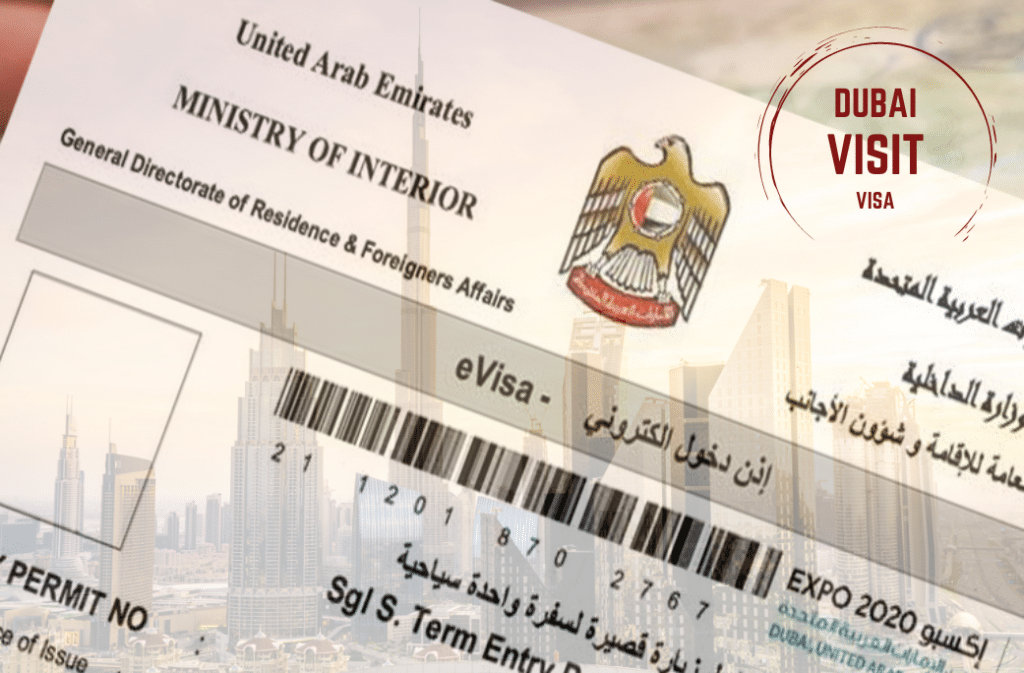
How To Check Dubai Visa Status Using Passport Number
You can check a Dubai visa status online using your passport number, but you need to use the correct official portal. For Dubai issued visas, start with GDRFA Dubai. For visas issued by other UAE emirates, use ICP Smart Services.
Your passport number is important, but it may not be enough by itself. Depending on the portal, you may also need your application number, file number, transaction number, nationality, date of birth, or visa number.
The safest way is to check through official UAE government platforms, not random third party visa check websites.
GDRFA Dubai lists a Visa Status service to verify entry permits, residence cards, establishment cards, and related documents. ICP Smart Services is used for federal UAE visa, residency, and Emirates ID services.
Can You Check Dubai Visa Status With Passport Number Only?
Sometimes, but not always.
Your passport number can help identify your record, but most visa status systems also need another detail from your application.
Detail | Do You Need It? |
|---|---|
Passport number | Yes |
Nationality | Often needed |
Date of birth | Often needed |
Application number | Often needed |
File number | Sometimes needed |
Transaction number | Sometimes needed |
Visa number | Sometimes needed |
Payment date | Sometimes needed |
Mobile number | Sometimes needed |
If you do not have your application number or file number, check your email, SMS, visa agent message, airline confirmation, payment receipt, or visa application receipt first.
Passport number alone may not be enough. Keep your application receipt ready before checking.
Official Ways To Check A Dubai Visa Status
There are two main official routes most applicants use.
Platform | Best For | What You Usually Need |
|---|---|---|
GDRFA Dubai | Dubai issued visas, entry permits, residence permits, establishment cards | Application number, transaction number, file number, passport number, nationality, date of birth, payment date |
ICP Smart Services | Visas and residency services issued through other UAE emirates | Request number, passport details, file number, Emirates ID details, nationality, application details |
The official UAE government portal says visa application tracking and validity checks depend on where the visa was issued. Dubai visa inquiries are handled through GDRFA Dubai.
Use GDRFA if the visa was issued in Dubai. Use ICP if the visa was issued by Abu Dhabi, Sharjah, Ajman, Umm Al Quwain, Ras Al Khaimah, or Fujairah.
Method 1: Check Dubai Visa Status On GDRFA
Use this method if your visa, entry permit, or residence file was issued in Dubai.
GDRFA Dubai’s website lists Visa Status as a service to verify entry or residence permits, establishment cards, and more. The GDRFA status inquiry page includes search options such as request, file, counter service application, establishment inquiry, and reconsideration request.
Step 1: Go To The Official GDRFA Dubai Website
Open the official GDRFA Dubai website and look for Visa Status.
You can also go directly to the GDRFA status inquiry page if you already have your application details.
Step 2: Choose The Correct Search Type
GDRFA may let you search by:
Request
File
Counter service application
Establishment inquiry
Reconsideration request
Choose the option that matches the document or application you have.
Step 3: Enter Your Application Or File Details
Depending on the search type, you may need to enter:
Application number
Transaction number
Payment date
File number
First name in English
Nationality
Date of birth
Mobile number
Passport number
Year of birth
The GDRFA status inquiry page shows fields such as application number, transaction number, payment date, file number, nationality, date of birth, mobile number, and passport number across different search options.
Step 4: Submit The Inquiry
After entering the required details, submit the form and check the result.
If the record is found, the system may show information connected to your visa, entry permit, residence card, or file.
You may see details such as:
Applicant name
Passport number
Nationality
File number
Visa or permit type
Application status
Validity details
Entry or residence document status
Enter your passport number exactly as printed in your passport. Small spacing or number errors can stop the result from showing.
Method 2: Check UAE Visa Status On ICP Smart Services
Use this method if your visa was issued by an emirate other than Dubai, or if your official receipt tells you to use ICP Smart Services.
ICP Smart Services supports services for visas, residencies, Emirates ID, fines, and other identity and immigration related services.
Step 1: Go To ICP Smart Services
Open the official ICP Smart Services portal.
Look for application status, file validity, visa services, or the service mentioned on your application receipt.
Step 2: Enter The Required Reference Details
Depending on the service, you may need:
Request number
Application number
Passport details
File number
Emirates ID details
Nationality
Date of birth
Sponsor or establishment details
Step 3: Submit And Review The Result
If the details match the system, ICP should show the relevant record.
If nothing appears, check whether your visa was actually issued by Dubai. If it was issued in Dubai, the result may not show on ICP and you may need to use GDRFA instead.
The most common mistake is using the right passport number on the wrong portal.
GDRFA vs ICP: Which Portal Should You Use?
Use this quick guide before checking.
Your Situation | Portal To Use |
|---|---|
Dubai tourist visa | GDRFA Dubai |
Dubai entry permit | GDRFA Dubai |
Dubai residence visa | GDRFA Dubai |
Dubai issued file or application | GDRFA Dubai |
Abu Dhabi visa | ICP Smart Services |
Sharjah visa | ICP Smart Services |
Ajman visa | ICP Smart Services |
Ras Al Khaimah visa | ICP Smart Services |
Fujairah visa | ICP Smart Services |
Umm Al Quwain visa | ICP Smart Services |
You do not know the issuing emirate | Check your visa copy, receipt, sponsor, airline, or travel agent first |
A Dubai visa is still a UAE visa, but the issuing authority matters when you check the status.
The portal is based on where the visa was issued, not only where you plan to travel.
What Details Do You Need Before Checking?
Before opening the tracking page, prepare:
Passport number
Nationality
Date of birth
Application number
Transaction number
File number
Visa number, if already issued
Payment date, if shown on your receipt
Mobile number used in the application
Sponsor name or agency name
Email used in the application
Visa copy or entry permit copy
Payment receipt, if available
If you applied through an airline or travel agency, ask them for the official application reference, not just a screenshot.
You can also use Outbound’s visa document checklist if you are preparing documents for another visa application and want to keep your records organized.
What If You Applied Through A Travel Agent?
You can still check your Dubai visa status yourself if you have the correct details.
Ask your agent for:
Application number
Transaction number
File number
Visa number, if issued
Passport number used in the application
Issuing authority
Email or mobile number used in the application
Payment receipt or application receipt
Do not rely only on a PDF, screenshot, or verbal confirmation.
If the visa has been issued, check that these details match your passport:
Full name
Passport number
Nationality
Date of birth
Visa type
Number of entries
Validity
Duration of stay
Issuing authority
A visa PDF is not enough if you cannot verify the details through the correct official system.
If your agent says the visa is approved but you cannot find the record, ask which portal was used and which reference number you should enter.
What Does Each Dubai Visa Status Mean?
Exact wording can vary depending on the portal, visa type, and application route. In general:
Status Or Result | What It Usually Means |
|---|---|
Application found | Your details match a record in the system |
Under process | The application is still being reviewed |
Approved | The application has been approved |
Issued | The visa or permit has been generated |
Rejected | The application was not approved |
Cancelled | The visa or residence file may no longer be active |
Expired | The visa or entry validity has passed |
No record found | The details may be wrong, not updated yet, or entered on the wrong portal |
Payment pending | Payment may not be completed or linked |
Additional information needed | More information or documents may be required |
Visa status and visa validity are not the same thing. Status tells you what happened to the application. Validity tells you whether the visa can still be used for travel.
What If It Says “No Record Found”?
Do not panic immediately. “No record found” does not always mean your Dubai visa was rejected.
Try these checks first:
Recheck your passport number
Remove extra spaces
Check your nationality selection
Recheck your date of birth
Try the application number instead of the visa number
Try the file number instead of the application number
Check whether the visa was issued in Dubai or another emirate
Try GDRFA if the visa is Dubai issued
Try ICP if the visa is from another emirate
Wait and try again later if you recently applied
Ask your agent or sponsor for the correct reference number
If your visa was submitted very recently, the record may not appear immediately.
The official UAE portal lists GDRFA contact details for Dubai visa inquiries, including 800 5111 from inside the UAE and +9714 313 9999 from outside the UAE.
Can You Check A Dubai Tourist Visa The Same Way?
Yes, if the tourist visa was issued in Dubai, you should generally start with GDRFA Dubai.
The UAE government portal says tourists who are not eligible for visa free entry or visa on arrival need a tourist visa before travel. Visit Dubai also provides official tourist visa information for travelers planning a Dubai trip.
You will usually need:
Passport number
Nationality
Date of birth
Application number
Transaction number
File number
Visa number, if issued
If your Dubai tourist visa is approved, also check your email and spam folder. Many applicants receive visa copies electronically through the airline, agent, or sponsor.
Before traveling, check that the visa details match your passport.
Approval is not the final check. You still need to confirm that your visa is valid for your travel date.
Can You Check Dubai Visa Validity Before Traveling?
Yes. You should check Dubai visa validity before you book final travel or before departure.
A visa can be approved but no longer usable if the entry validity has expired, the visa was cancelled, or the passport details are wrong.
Check:
Visa issue date
Last date to enter
Duration of stay
Number of entries
Passport number
Full name
Nationality
Date of birth
Visa type
Passport validity
Airline entry requirements
Emirates says travelers should check visa requirements before travel and make sure they have a valid visa if needed, and that passport validity requirements can apply.
Do not travel only because your visa was once approved. Check whether it is still valid for your actual travel date.
Can UAE Residents Check Visa Status This Way?
Yes, UAE residents may also use official UAE immigration services to check residence related records.
GDRFA Dubai lists Visa Status for checking the validity of entry permits, residence cards, and establishment documents. It also lists a fines inquiry service for fines linked to a personal file or sponsored individuals.
Residents may need to check status before:
Renewing residence
Changing sponsor
Changing employer
Leaving the UAE for a long period
Checking cancellation
Applying for family sponsorship
Checking fines
Applying for a new entry permit
If your residence was issued in Dubai, start with GDRFA. If it was issued by another emirate, check ICP.
Do You Need A Dubai Visa Before Traveling?
Not everyone needs a prearranged Dubai visa.
The UAE Ministry of Economy and Tourism says GCC citizens do not need a visa to enter the UAE. It also says citizens of some countries can obtain a visa on arrival for up to 30 days, while citizens of other countries can obtain a visa on arrival for up to 90 days.
Emirates also lists visa on arrival categories and says some passport holders can receive a 30 day, 90 day, or 180 day visit visa on arrival depending on nationality.
Still, visa on arrival rules can depend on nationality, passport type, passport validity, residency status, and airline checks.
Check your entry requirement before booking non refundable flights or hotels.
How To Avoid Fake Dubai Visa Check Websites
Use official platforms whenever possible.
Be careful with websites or agents that:
Ask for unnecessary fees just to check status
Promise guaranteed approval
Cannot provide an application number
Only send screenshots
Use unofficial payment links
Ask for passport details through unsafe forms
Cannot tell you whether your visa is from GDRFA or ICP
ICP has warned customers to use official and authorized channels because fraudulent websites and fake communications may misuse official names or logos.
Never enter your passport number, date of birth, file number, or payment details on a website you cannot verify.
Common Mistakes When Checking Dubai Visa Status
1. Using Passport Number Only
Your passport number is important, but it may not be enough.
Most checks also need another identifier such as application number, file number, transaction number, date of birth, or nationality.
2. Checking The Wrong Portal
A Dubai visa should usually be checked through GDRFA. A visa from another UAE emirate should usually be checked through ICP.
3. Confusing Visa Status With Visa Validity
Status tells you whether the application is pending, approved, issued, rejected, cancelled, or expired.
Validity tells you whether the visa can still be used.
4. Trusting A Screenshot Without Checking
A screenshot can be incomplete or edited.
Use the official portal whenever possible.
5. Not Checking Passport Details After Approval
Even if the visa is approved, check that your name, passport number, nationality, and date of birth are correct.
6. Checking Too Soon After Application
If the application was submitted recently, the system may not show the record yet.
7. Not Asking The Agent For The Correct Reference Number
If an agent applied for you, they should be able to give you an application number, file number, transaction number, or official receipt.
Final Checklist Before You Travel To Dubai
Before departure, check:
Visa status is approved or issued
Passport number matches the visa
Full name matches the passport
Nationality is correct
Date of birth is correct
Visa type matches your travel purpose
Number of entries is correct
Visa validity covers your travel date
Duration of stay is enough for your trip
Passport validity meets the airline or entry requirement
You have a copy of the visa saved offline
You know whether your visa was issued by GDRFA or ICP
Airline and entry requirements are checked
If you are preparing documents for another visa application, you can use Outbound’s free visa tools to organize common travel requirements before submission.
If your Dubai visa status is unclear, your agent gives conflicting information, or you are unsure what the result means, you can compare similar cases in the Outbound Visa Forum before taking the next step.
Final Takeaway
You can check a Dubai visa status using your passport number, but passport number alone may not be enough. Keep your application number, transaction number, file number, visa number, nationality, and date of birth ready before checking.
For the safest result, use GDRFA Dubai for Dubai issued visas and ICP Smart Services for visas issued by other UAE emirates. If your visa appears as approved or issued, check every detail carefully before traveling. If the system shows no record, recheck your numbers, use the correct portal, and contact your agent, sponsor, GDRFA, or ICP if the problem continues.
Sources
https://u.ae/en/information-and-services/visa-and-emirates-id/track-visa-application-and-validity
https://smart.gdrfad.gov.ae/Public_Th/StatusInquiry_New.aspx
https://www.gdrfad.gov.ae/en/fines-inquiry-service
https://smartservices.icp.gov.ae/
https://smartservices.icp.gov.ae/echannels/web/client/guest/index.html
https://u.ae/en/information-and-services/visa-and-emirates-id/tourist-visa
https://www.visitdubai.com/en/plan-your-trip/visa-information
https://www.moet.gov.ae/en/entry-requirements
https://www.emirates.com/id/english/before-you-fly/visa-passport-information/uae-visa-information/